Steps
- 1
Turn on Developer options
Open Settings › About phone and tap Build number seven times. Enter your PIN if asked. Android says you are now a developer.
- 2
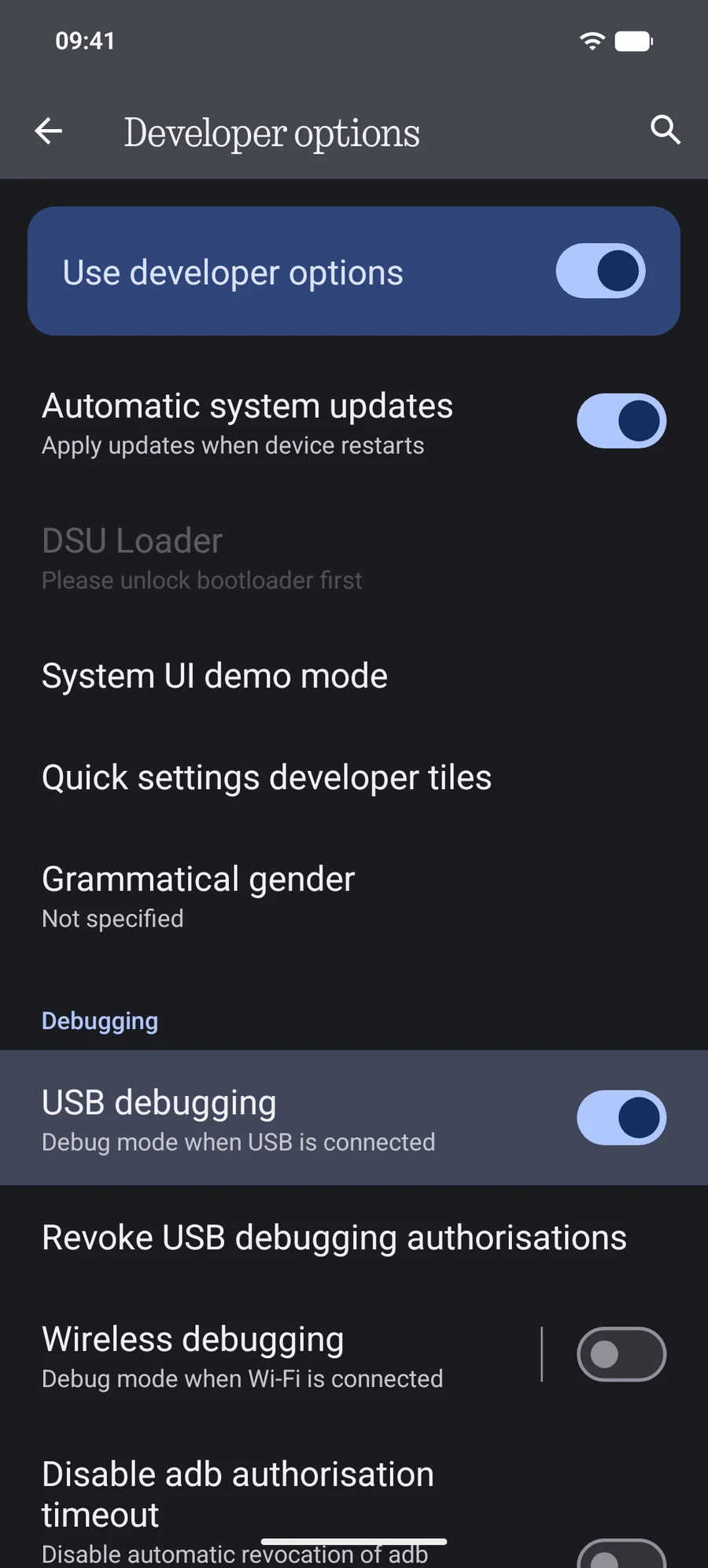
Turn on USB debugging
Open Developer options (usually in Settings › System, or at the bottom of Settings) and switch on USB debugging.
- 3
Connect and allow your Mac
Plug the phone into the Mac. When Android asks Allow USB debugging?, check Always allow from this computer and tap Allow. Only approve a Mac you trust.
Where Build number is, by brand
- Samsung Galaxy: Settings › About phone › Software information › Build number. Developer options appear at the bottom of Settings.
- Google Pixel: Settings › About phone › Build number. Developer options are in Settings › System.
- Xiaomi, Redmi, POCO: Settings › About phone › OS version (MIUI version on older phones). Developer options are in Settings › Additional settings.
- OnePlus: Settings › About device › Version › Build number. Developer options are in Settings › System settings.
- Nothing: Settings › About phone › Build number. Developer options are in Settings › System.
Is it safe?
USB debugging lets a computer you approved access the phone over the cable. Approve only your own Mac. To withdraw every approval, use Revoke USB debugging authorisations in Developer options. PortLine uses the connection only to read and write files you ask for.
Questions
I tapped Deny by mistake.
Unplug the phone, use Revoke USB debugging authorisations in Developer options, and plug it in again to get the prompt back.
Do I need USB debugging for PortLine?
No. Without it, PortLine uses Standard USB. USB debugging makes it faster and keeps Finder up to date within seconds.